How Small Businesses Can Create Better Calls to Action Without Making Their Websites Feel Pushy
A good business website should help visitors find useful information without making them feel as though they are being pushed toward a decision.
Calls to action, or CTAs, play an important role in that experience. They can point visitors toward a service, help someone request information, encourage a newsletter signup, or simply make it easier to continue exploring the website.
The key is knowing when and how to use them.
A CTA does not always need to say “Buy Now” or “Get Started.” For many small businesses, the most helpful action may be something much simpler: “Learn More,” “View Our Services,” “Read the Guide,” or “Contact Us.”
A CTA Should Help Visitors, Not Pressure Them
A call to action works best when it provides direction that makes sense in the context of the page.
Imagine someone visiting a photographer’s website for the first time. They may want to see examples of the photographer’s work before discussing a booking. A button saying “View the Portfolio” could be more useful at that moment than “Book Now.”
Similarly, someone reading an article from a financial consultant may still be researching. Offering a useful guide or inviting the visitor to explore a related service can be more appropriate than immediately asking for a consultation.
This distinction matters because visitors are rarely all at the same stage of the decision-making process.
A person who already understands a business and knows what they want may be ready to contact the company. Someone encountering the business for the first time may need more information first.
Good CTA design recognizes that difference.
Nielsen Norman Group has specifically discussed how generic calls to action such as “Get Started” can confuse visitors when the wording does not clearly communicate where the button will take them or what will happen next. Nielsen Norman Group: “Get Started” Stops Users
Give Visitors Different Ways to Take the Next Step
There is no single action that works for every visitor or every page.
Small businesses can provide different options depending on what visitors are likely to need.
For example, a service business might use “Get a Quote” on a page where visitors are ready to discuss a project. A consultant could use “Book a Consultation,” while a blogger might use “Subscribe to Updates.”
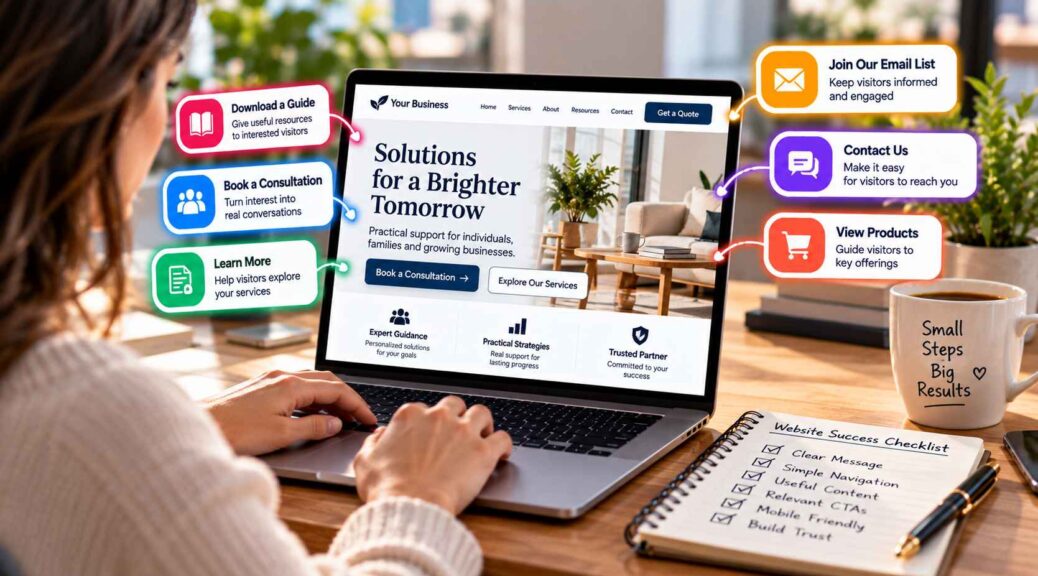
Other useful CTAs include:
- Learn More
- Contact Us
- Request Information
- View a Service
- Download a Guide
- Read Another Article
- Explore Our Products
- Join Our Email List
These actions have different levels of commitment.
“Read Another Article” asks very little from the visitor. “Download a Guide” requires slightly more involvement. “Request a Quote” or “Book a Consultation” usually indicates that the visitor is further along in the decision process.
Offering an appropriate next step gives visitors room to move at their own pace.
Match the CTA to the Page
One of the easiest ways to make CTAs feel natural is to connect them directly to the purpose of the page.
A homepage introduces the business, so it might direct visitors toward major services or important sections.
A service page can focus on an action related to that specific service.
A blog article might encourage readers to explore a related topic, download a resource, or subscribe for future content.
An ecommerce product page can focus on viewing details, adding an item to a cart, or beginning a purchase.
The CTA should feel like a continuation of the information rather than an interruption.
For example, a landscaping company explaining its garden maintenance service could place a “Request a Service Quote” button after explaining what the service includes. A visitor who has just read the information is already thinking about that particular service, so the action feels relevant.
The same business might use “Explore Our Landscaping Services” on a general article where readers are still learning about what the company offers.
Use Clear Language Instead of Hype
CTA wording does not need to sound dramatic.
In fact, simple language can often make an action easier to understand.
Compare “Unlock Your Ultimate Transformation” with “Book a Consultation.” The second option tells the visitor exactly what they are being invited to do.
Clear wording also helps set expectations.
“Download the Guide” suggests that the visitor will receive a guide. “View Our Services” indicates that the button will lead to service information. “Contact Our Team” tells visitors that they are about to find a way to communicate with the business.
A useful CTA should answer a basic question: what happens if I click this?
The answer should be apparent from the button’s wording and the surrounding content.
Give Visitors Enough Context Before Asking for Action
A visitor is more likely to understand a CTA when the page has already provided enough information to make the action meaningful.
A business should not necessarily place a large “Request a Quote” button at the very beginning of every page and assume that visitors are ready to use it.
The page may first need to explain the service, who it is for, what is included, and what the next stage of the process looks like.
After that information has been presented, a CTA can provide a logical next step.
This does not mean CTAs should only appear at the bottom of pages. A longer service page may benefit from an early CTA for visitors who already know what they need, followed by another relevant action after more detailed information.
The important factor is context.
Avoid Filling Every Part of the Page With Buttons
A website can become less helpful when every section is trying to make the visitor do something.
Imagine a homepage with buttons for booking a call, downloading a guide, subscribing to an email list, viewing services, reading the blog, following social media, requesting a quote, and starting a purchase.
Each action might be reasonable on its own. Together, they can compete for attention.
Small businesses should identify the most important action for each page and give it appropriate visual priority.
Secondary actions can still be included, but they should not overpower the main path.
This creates a clearer visual hierarchy and allows visitors to understand which action is most relevant without removing their ability to explore other options.
Pay Attention to Timing and Placement
CTA placement can influence whether visitors notice an action at the right moment.
A button placed directly beside the information it relates to is usually easier to understand than an isolated button several sections away.
For example, a product description can naturally lead into “View Product Details” or “Add to Cart.” A service explanation can lead into “Request a Quote.”
The design should also make interactive elements recognizable. Nielsen Norman Group’s research on button design notes that clear labels and visual treatment help users understand what an interactive element will do. Nielsen Norman Group button usability guidance
On mobile devices, placement becomes even more important because visitors have less screen space and interact primarily through touch.
A CTA should be noticeable without covering important content or making the page feel like an advertisement.
Use WordPress Tools to Manage Different CTA Formats
For a small website with only a few pages, adding CTAs manually may be straightforward. As the website grows, however, businesses may need different calls to action for different pages, campaigns, services, and visitor needs.
A WordPress CTA plugin can make it easier to create and manage those different elements without requiring a custom development project for every change.
For example, WP CTA Pro can be used as a WordPress solution for creating and managing calls to action across a website.
The important point is that the tool should support the strategy rather than replace it.
A business still needs to decide which action belongs on each page, what wording makes sense, and how prominently that action should appear.
A service provider might use one CTA for quote requests, another for consultations, and another for educational resources. An online retailer may have product-focused actions, while a content publisher could emphasize subscriptions and related articles.
Having the ability to manage different CTA formats can make these variations easier to organize.
Keep the Visitor’s Perspective in Mind
One simple test can help small businesses evaluate their CTAs: forget what you know about the company and look at the website as a first-time visitor.
Ask yourself:
What does this business offer?
What information would I want next?
Is the next step obvious?
Does the button tell me what will happen?
Am I being asked to make a decision before I have enough information?
If the answers reveal confusion, the CTA may need to change.
Sometimes the solution is different wording. Sometimes it is moving the CTA closer to relevant information. In other cases, the business may simply have too many competing actions.
The best CTA strategy is rarely about adding more buttons. It is about making the right action easier to recognize at the right moment.
Make the Website Feel Helpful
Small businesses do not need aggressive calls to action to guide visitors effectively.
A helpful website can give people different ways to continue depending on what they need. Someone can learn more, explore a service, read another article, download a guide, subscribe to updates, request information, or make direct contact when they are ready.
That flexibility makes the website feel more like a useful resource and less like a sales funnel.
Clear language, relevant placement, sensible visual hierarchy, and enough supporting information can turn a simple CTA into a natural part of the visitor experience.
The goal is straightforward: give people a useful next step without making them feel pressured to take it.